
GCBE 2027 Class Registration and Queue FAQ
Explore more than 450 classes at Glass Craft & Bead Expo 2027. Use this guide to prepare your account, understand the opening-day queue, and complete your registration.
Registration opens Wednesday, October 14, 2026, at 10:00 AM PDT.
Prepare before registration opens
What can I do ahead of time?
Please log in and update your account before registration day to help the process go smoothly.
• Log in to your account or create one if you’re new.
• Review and update your contact information and password.
• Browse the class list and save your top choices to “My Favorites.”
• Choose a few backup classes in case your first choices fill up.
• Get familiar with the updated website.
Can I add classes to my cart before registration opens?
No. You can add classes to your cart only after registration opens at 10:00 AM PDT on October 14 and you’ve been admitted through the queue. Until then, save your choices to “My Favorites.”
Enter the virtual queue
Where and when does the queue start?
Our website will temporarily close at 9:45 AM PDT on Wednesday, October 14, 2026, in preparation for class registration.
If you’re already on our website before 9:50 AM PDT, please close your browser, then reopen it and return to our website at 9:50 AM PDT to enter the virtual waiting room queue.
Beginning at 10:00 AM PDT, we’ll admit 200 people to the website every 10 minutes.
Once you’re admitted, you can browse classes, add them to your cart, and complete payment.
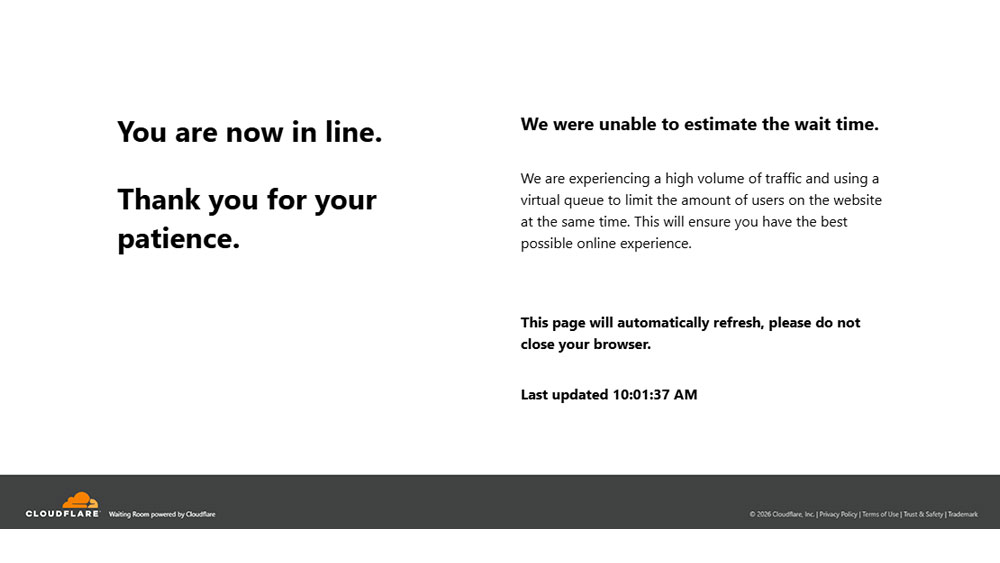
At 9:50 AM PDT on Wednesday, October 14, 2026, the website will switch to a virtual waiting room. This is what the website will look like when you are in the queue:
What should I do while I wait?
Keep the waiting room open in your browser and be patient. The waiting room refreshes automatically. Your wait will depend on how many people are ahead of you; an estimated wait time may not be available.
Is there a checkout time limit?
There is no time limit to complete checkout once you’re admitted. However, if you’re inactive on the website for more than 10 minutes, you’ll be returned to the queue.
Adding a class to your cart does not reserve or hold your seat. Your seat is secured only after you complete checkout and payment.
Stay active while selecting your classes and complete checkout as quickly as possible. A class can sell out while it is in your cart if another student completes payment first.
Select your classes
What should I do once I am admitted?
Open “My Favorites” to add your saved choices to your cart, or use “Browse Classes” to explore available classes. Keep your backup choices handy in case a class fills up.
How do I use My Favorites?
Once you’re admitted, open “My Favorites” in the left menu and use “Move to Cart” to add available saved classes. Saving a favorite does not reserve a seat.
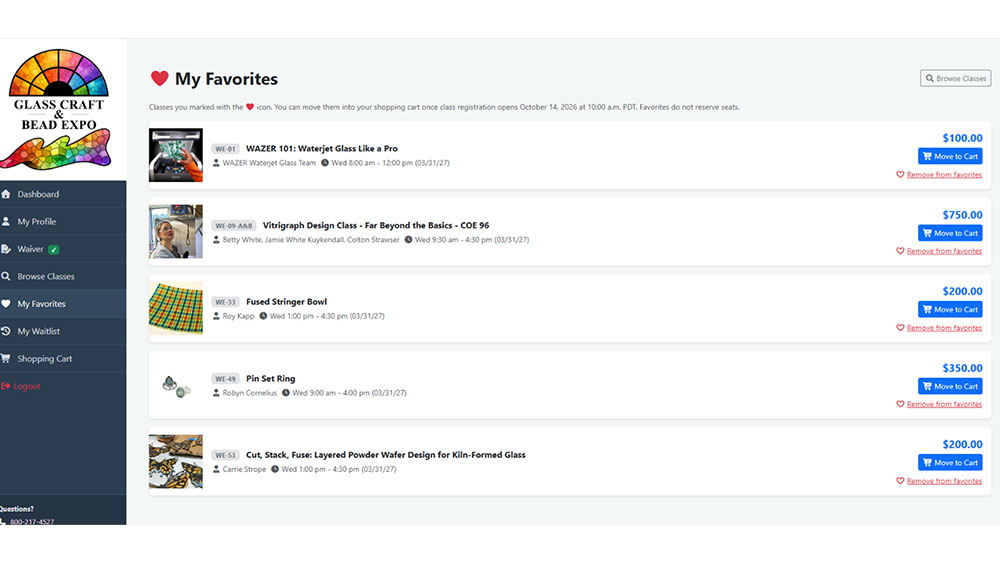
My Favorites gives you quick access to your saved class choices.
How do I get to checkout?
Click “Checkout” beneath the cart on the right, or select “Shopping Cart” from the left menu to access your cart and proceed to checkout.
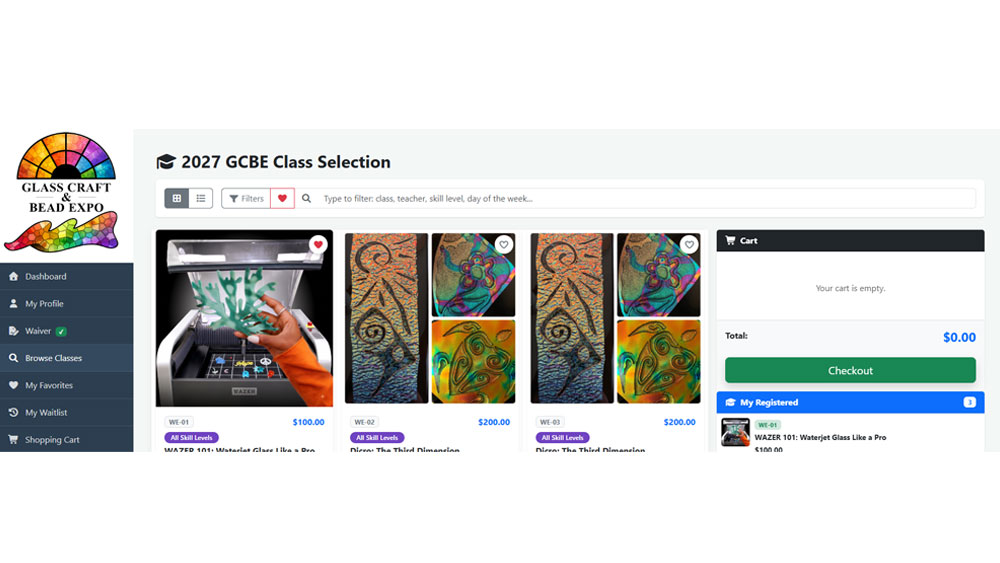
The class selection screen shows your cart and the Checkout button on the right.
What should I do on the payment page?
Review your selected classes, including their dates and times, and make any necessary changes. Enter your payment information and select “Complete Checkout” to finish your purchase.
Adding a class to your cart does not guarantee or hold your seat. Your seat is secured only once payment has been completed.
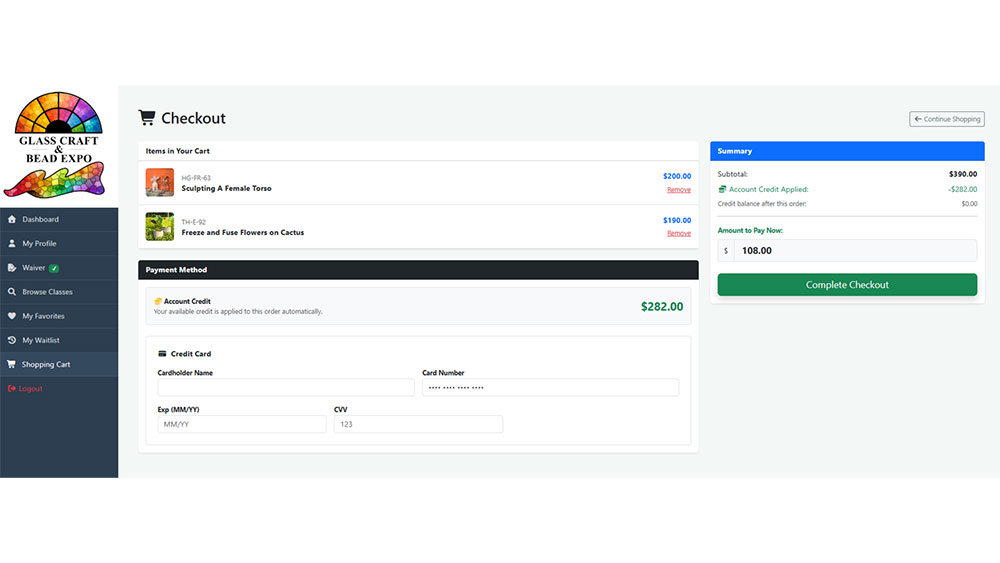
Review your classes and payment summary before completing checkout.
Use account credit and review confirmation
How is my account credit applied?
Your available account credit appears on the top right side of your dashboard. It is automatically applied to your balance at checkout. Review the payment summary to see the credit applied and any amount left to pay.
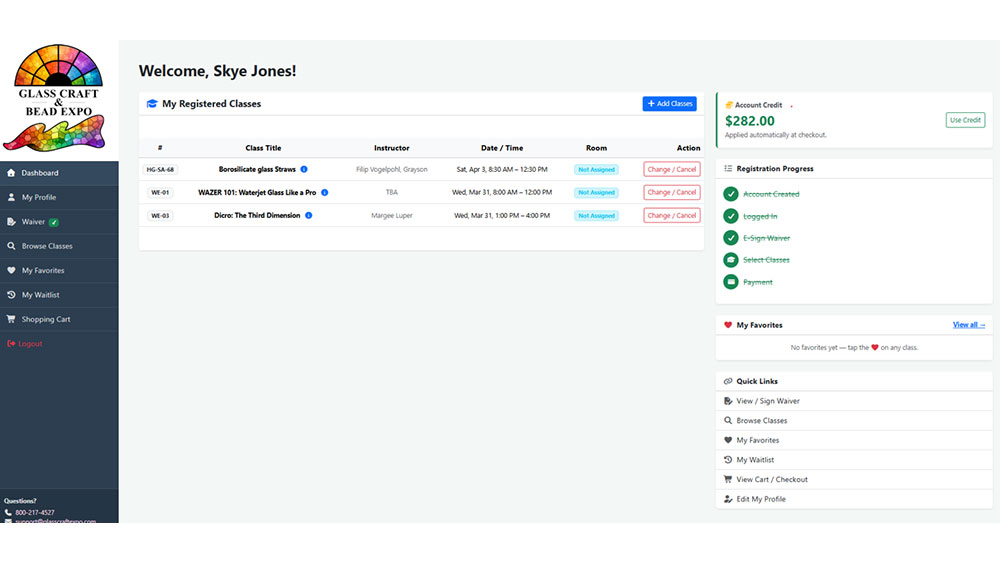
Your dashboard displays your available account credit on the right.
What should I do after completing payment?
Review your confirmation and check that your registration details and purchased classes are correct. An email confirmation will also be sent to you.
If you notice an issue or need assistance, contact [email protected].
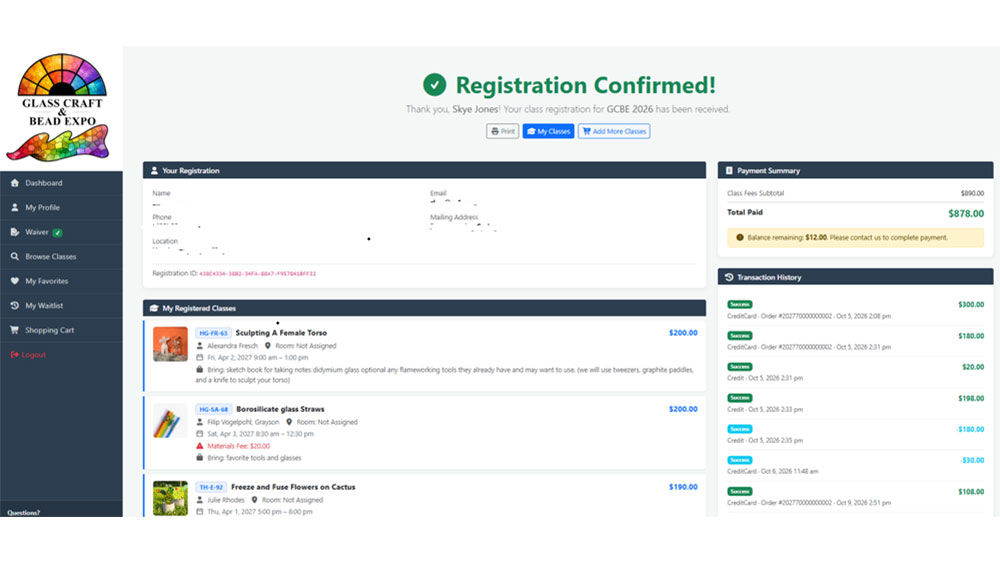
Review the confirmation screen and payment summary after checkout.
Check availability and sold out classes
How can I tell whether a class is sold out?
Check the class listing for current availability. Sold-out sessions are labeled “Sold out.” The listing may also show other sessions with seats available.
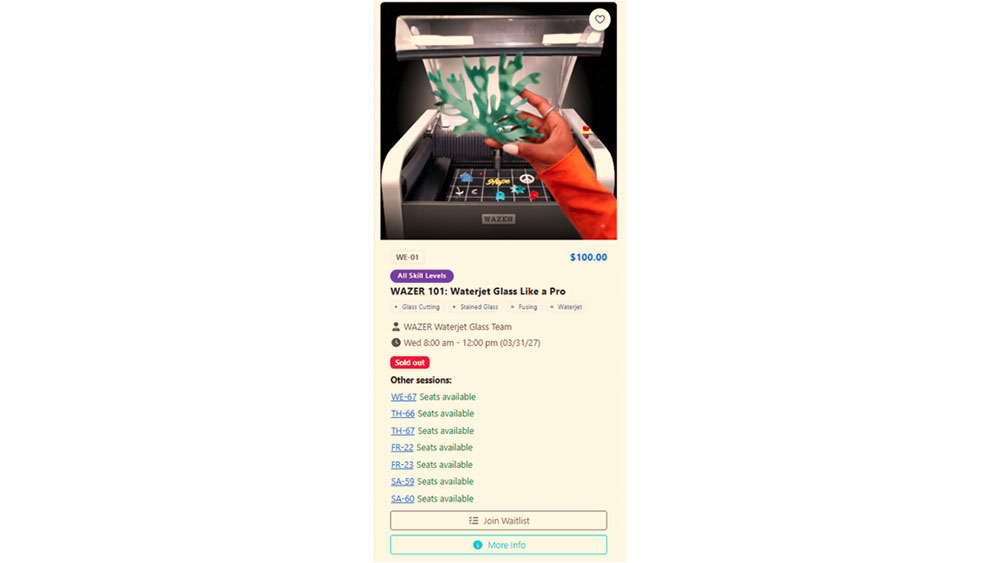
A class listing identifies sold-out sessions and available alternatives.
What if a class in my cart sells out?
A class can sell out while it is in your cart or while you’re completing checkout. If checkout identifies a full class, remove it from your cart before trying to pay again.
You can continue with your remaining classes, add an available backup class, or join the sold-out class’s waitlist using “Join Waitlist” on its listing.
Neither “My Favorites” nor your cart reserves a seat. Only completed payment secures your spot.
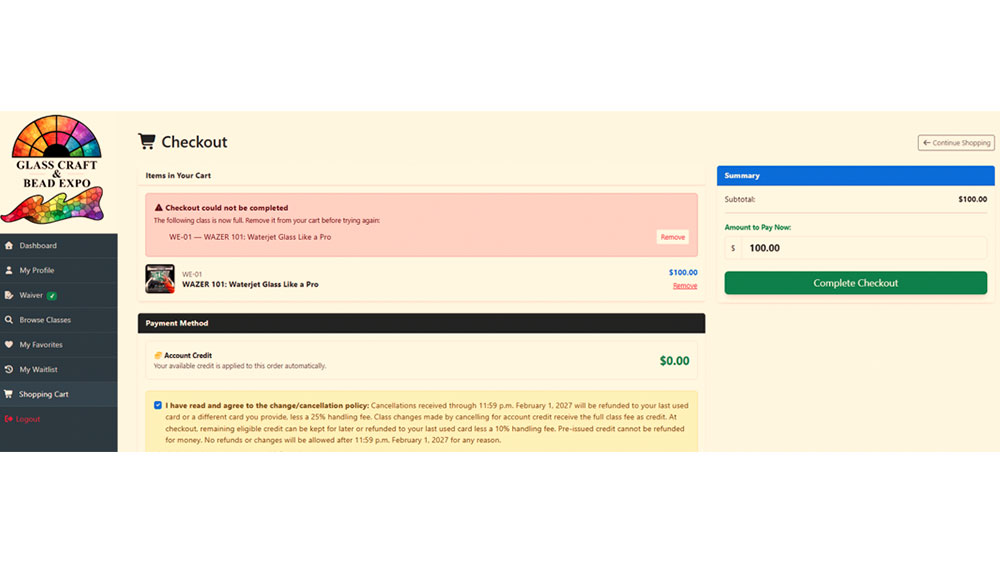
Checkout asks you to remove a full class before completing payment.
Payment and cancellation information
What payment methods do you accept?
We accept most major credit and debit cards, including Visa, Mastercard, Discover, and American Express. Contact [email protected] with payment questions.
Can I pay for my spouse or friend?
Yes, you may use your credit card to pay for another attendee. Each person must have their own registration; their classes cannot be added to yours.
When does the hotel group rate become available?
The GCBE 2027 hotel group rate becomes available when class registration opens on October 14, 2026, at 10:00 AM PDT.
Can I get a refund if I need to cancel?
Cancellations received before February 1, 2027, will be refunded less a 25% handling fee. Class registration changes that result in a credit will be credited less a 10% handling fee.
No refunds or changes will be allowed after 11:59 PM on February 1, 2027, for any reason, including force majeure.
Can I transfer my seat after February 1?
If you cannot attend a class after February 1, you may transfer your seat to another individual by arranging payment directly with that person. Once the exchange is complete, contact us to update the registration name.
All financial transactions must be handled privately between you and the new participant. Glass Craft & Bead Expo is not involved in or responsible for the transfer of funds.
What if I need to cancel a sold out class after February 1?
If you need to cancel after February 1 and the class is listed as sold out on the website, contact Expo management for potential options.
How do I cancel a class?
For assistance canceling a class, contact [email protected]. Cancellations and refunds are subject to the policy above.